Family Characters Vector Illustration: What to Know Before You Download, Use, or Print
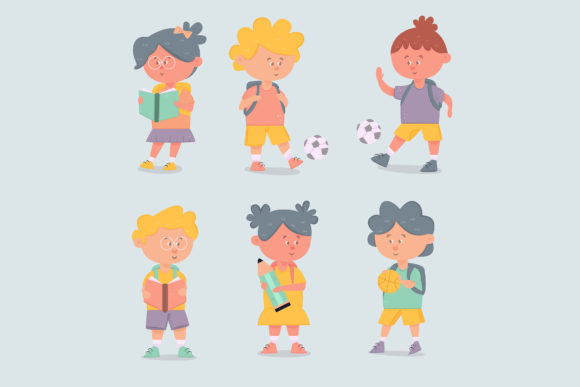
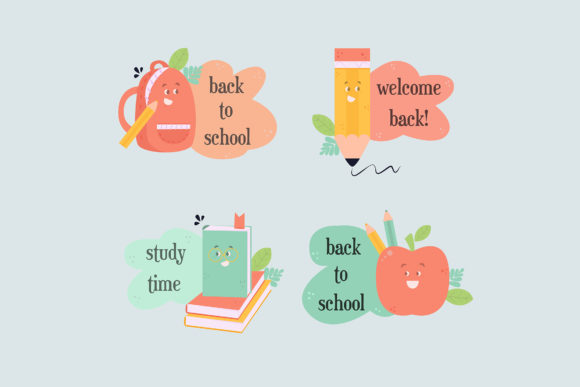
If you have ever searched for clip art or digital illustrations for a school project, a marketing flyer, or a personal keepsake, you have likely come across the term Family Characters Vector Illustration. On the surface, it sounds simple enough—a ready-made set of drawings featuring parents, children, and perhaps a pet, all styled in a consistent vector format. But there is more to these files than meets the eye, especially when the theme is “back to school” and you plan to use the artwork for stickers, social media posts, or printed materials.
Many creators, small business owners, and even experienced designers assume that any vector file will work anywhere. That assumption can lead to frustration, wasted time, and disappointing final products. Understanding what a Family Characters Vector Illustration actually contains, how it behaves in different software, and what to check before you buy or download will save you from common pitfalls. This article walks through the most frequent mistakes people make—and shows you how to avoid them.
Mistake 1: Ignoring File Format Differences
A typical ZIP file for a Family Characters Vector Illustration includes multiple formats: AI, EPS 10, JPG, PNG, SVG, and DXF. Each format serves a different purpose, yet many people open the JPG or PNG first, assume that is all they need, and then wonder why their printed sticker looks pixelated or why they cannot edit the colors.
The JPG and PNG versions are raster images. They are perfect for quick previews, social media posts, or non-customizable uses where resolution is fixed. But if you try to enlarge a PNG to fit a banner or a large sticker, you lose sharpness. The SVG, AI, and EPS files, on the other hand, are true vector formats. They can be scaled infinitely without losing quality. That matters when you want to use the illustration on a pencil case, a backpack, or a classroom poster.
Better approach: Before you download, confirm which formats you actually need. If your primary goal is to create stickers or printed merchandise, rely on the SVG or AI file for scaling and editing. Use the JPG or PNG only for low-resolution drafts or digital sharing. Avoid the trap of using a raster file for a large print just because it opens faster.
Mistake 2: Overlooking Layer Organization and Editability
Family Characters Vector Illustrations often come with multiple characters, backgrounds, and text elements grouped together. Beginners sometimes open the AI or EPS file and try to move a single child character, only to find that the entire illustration shifts together. That happens when layers are locked or groups are not properly named.
This can cause a cascade of problems. You might waste hours trying to separate elements manually. Or you might give up and use the illustration as-is, even though it does not quite fit your back-to-school theme—for example, the kids are holding books, but you need them to hold a lunchbox instead.
Better approach: When evaluating a Family Characters Vector Illustration, look for files that have clearly labeled layers and individual character objects. Good sets allow you to select just one person, change their clothing color, or reposition them without breaking the rest of the illustration. Before you buy, check the product description for terms like “fully editable,” “individual object layers,” or “easy to customize.” If the sample images do not show layer panels, reach out to the creator or look for reviews that mention customization.
Mistake 3: Not Checking Compatibility With Your Software
Not all vector files open perfectly in every program. AI files are native to Adobe Illustrator. EPS 10 is an older format that most vector editors can import, but effects like gradients or brushes may not transfer correctly. SVG is widely supported in web browsers, Canva, and free tools like Inkscape, but some SVG files have missing fonts or misaligned paths. DXF is often used for CAD or laser cutting, but it may strip away color information.
A common mistake is assuming that because you have a paid design tool, every format will work flawlessly. The result: opening an EPS in a free program that does not support embedded images, seeing blank areas, and thinking the file is corrupted. Or importing an SVG into a print shop’s software and finding that text appears as placeholder characters.
Better approach: Know what software you will use before you open any file. If you work with Adobe Illustrator, AI and EPS are safe. If you use Affinity Designer, check for SVG compatibility. If you are a hobbyist using Canva or Cricut Design Space, SVG is usually the best bet. Always test a sample file from the provider if possible. Many reputable sellers offer a free preview file or a single character set to test in your workflow.
Mistake 4: Forgetting About Resolution and Color Mode for Print
Back-to-school stickers, labels, and posters often need to be printed. Yet many people download a Family Characters Vector Illustration and try to print directly from the JPG or from an SVG that was not converted to CMYK color mode. The result: colors appear duller or different on paper than they did on screen.
Vector illustrations are resolution-independent for scaling, but color mode (RGB vs. CMYK) and embedded color profiles still matter. A file created in RGB will look vibrant on a monitor but may shift when printed on a standard inkjet or offset press. Similarly, if you resize an SVG for a 12-inch sticker but forget to set the document units properly, the output may be unexpectedly small or huge.
Better approach: When preparing the illustration for print, open the vector file (preferably AI or SVG) and convert the color mode to CMYK if your printer requires it. Check that the document dimensions match your intended sticker size. Save a copy as a high-resolution PDF or EPS for the print shop. If you are doing print-at-home, a high-quality PNG at 300 DPI is often sufficient, but only if the original vector was exported at that resolution—do not simply upscale a low-res JPG.
Mistake 5: Overlooking Licensing and Usage Rights
Family Characters Vector Illustrations are often sold with different licenses. A “personal use” license means you can use the file for your own projects but cannot sell the stickers or use them in a commercial product. A “commercial license” allows you to incorporate the illustration into items you sell, such as T-shirts, classroom decorations, or digital educational resources.
Many small business owners and educators make the mistake of assuming all downloads are free for commercial use. When they later realize the license restricts them, they either risk a copyright issue or have to redo their entire product line with a different illustration.
Better approach: Read the license terms before downloading or purchasing. Look for explicit wording about what is allowed: Can you use the illustration on merchandise? Can you modify it? Do you need to credit the artist? If the terms are unclear, contact the creator. For a back-to-school sticker project, you almost certainly need a commercial license if you plan to sell the stickers. If you are just making one set for your own kids or classroom, personal use is fine.
Mistake 6: Not Considering Scalability and Composition
Stickers and small-format items often require a tight composition. A Family Characters Vector Illustration that looks beautiful on a full-page flyer may become cluttered and lose impact when reduced to a two-inch sticker. The characters might be too detailed, the background too busy, or the spacing too wide.
This is especially relevant for back-to-school themes, where you want the illustration to convey a warm, inviting feeling without being overwhelming. A sticker that has too many small elements—like tiny pencils, apples, and backpacks—may become a blur when printed small.
Better approach: Before committing to a set, examine the illustration at different scales. Zoom out to see how it looks at sticker size. If you have the vector file, test print a small version. Look for illustrations that have clear silhouettes, bold outlines, and a focused focal point. For a sticker featuring a family walking to school, the people should be the star, not the background details. If needed, simplify the composition yourself by removing background elements in your vector editor.
Mistake 7: Neglecting to Test the Illustration With Your Actual Project
Perhaps the most overlooked step is testing the file in your real workflow. You might download a Family Characters Vector Illustration, import it into your design software, and only then discover that the font used for a “Back to School” banner is not installed on your system. Or that the SVG has weird gaps between shapes that become visible when you cut the sticker on a vinyl cutter.
Better approach: Do a quick dry run with a small part of the illustration. Import the SVG into your specific software (Cricut, Silhouette, Canva, Illustrator, etc.) and see how it behaves. Test a single character, not the whole set. Check if the strokes are outlines or strokes. If you plan to use a cutting machine, verify that the file has closed paths. Many vector sets include a “ready to cut” version specifically for this purpose—look for that in the ZIP contents.
Practical Recommendations for Choosing the Right Family Characters Vector Illustration
To sum up the better choices, here is a practical checklist you can use before you buy or download a Family Characters Vector Illustration for a back-to-school project:
- Confirm the ZIP contains the formats you need: AI/EPS for full editing, SVG for versatility, PNG/JPG for previews, and DXF if you plan to use a laser cutter.
- Look for illustrations with separate, named layers so you can reposition or recolor each character.
- Check the intended resolution and color mode. For print, CMYK is preferable. For screen, RGB is fine.
- Read the license carefully. If you are selling the final product, ensure the license covers commercial use.
- Test the file in your own software before finalizing your design.
- Scale the illustration down to see if it remains clear and readable at sticker size.
The right Family Characters Vector Illustration can save you hours of work and give your back-to-school content a polished, professional look. By avoiding these common mistakes—choosing the wrong format, ignoring editability, overlooking compatibility, misjudging print requirements, ignoring licensing, neglecting scalability, and skipping tests—you can turn a simple vector set into a versatile asset that works across stickers, newsletters, classroom decorations, and promotional materials.
Remember that a ZIP file containing AI, EPS 10, JPG, PNG, SVG, and DXF is not just a collection of pictures. It is a toolkit. Use each file where it belongs, and you will get the most value from your illustration—without the frustration of unexpected pixelation, uneditable layers, or licensing disputes. Whether you are a parent making lunchbox stickers, a teacher designing class rewards, or a small business owner creating back-to-school products, a well-chosen vector illustration can bring your ideas to life cleanly and efficiently.